Guides / Proposals
Or set the price yourself
Skip the sheet when you already have the number. Type the contract price and the finish they chose, and the proposal drafts around it from your terms.
What you need first
- A project with a specification and an address
- Your proposal terms on the Terms tab in Settings
The take-off is how most proposals should be priced, and there are jobs where you already have the figure. By the end of this page you will have drafted a full proposal from a price you typed, with everything else pulled off the record.
Open Documents and find the Proposal card
Under the line about pricing room by room there is a small disclosure reading Or set the price yourself. It is small on purpose: the sheet is the route most jobs should take.
Open it and fill in two fields
Which one they chose is the finish the client picked, which becomes the heading on the document. If the estimate went out with finishes on it, this is a list of those. Otherwise it is a field you type into.
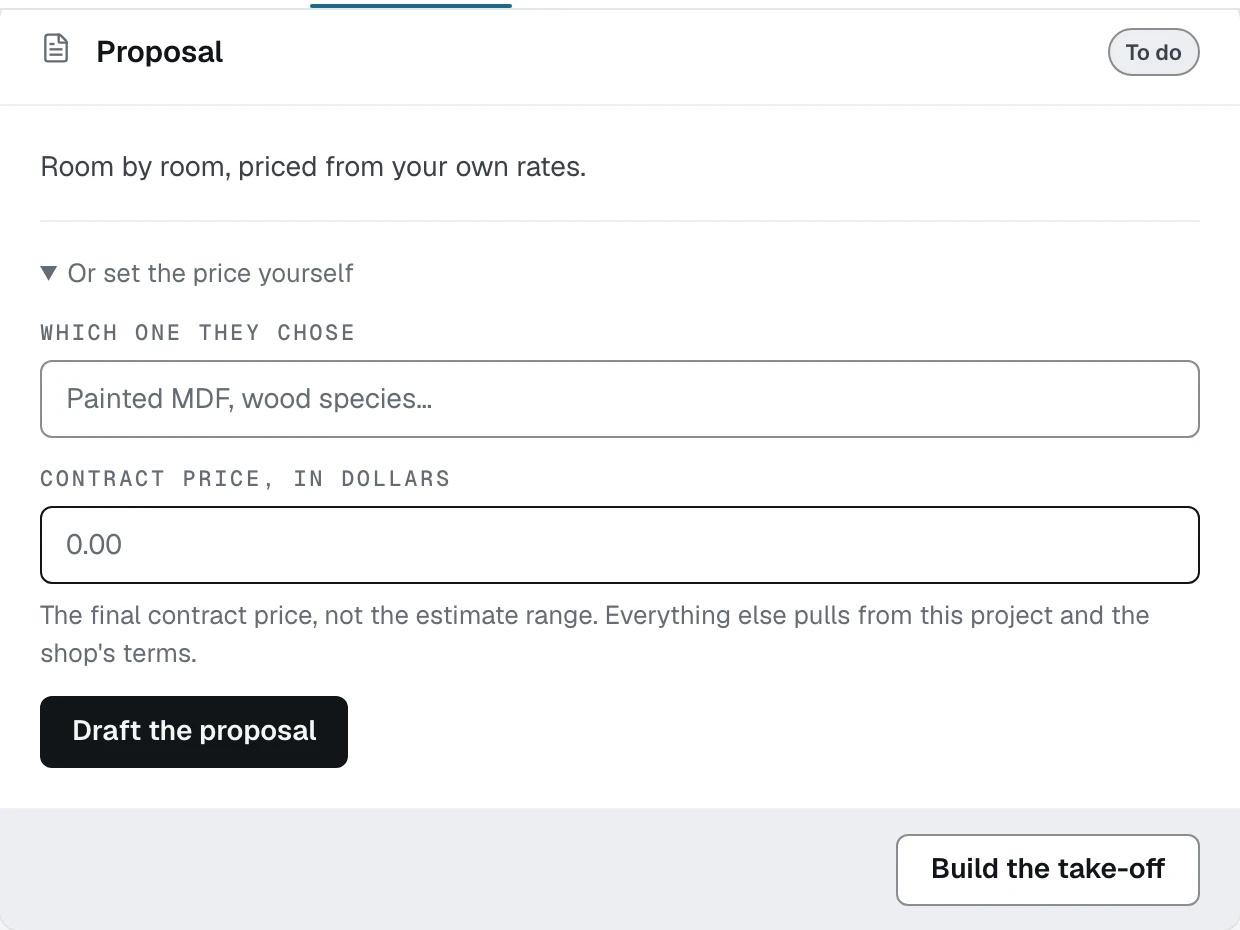
- 1Or set the price yourself, under the take-off line
- 2The contract price, not the estimate range
- 3Draft the proposal from the figure you typed
Type the contract price, not the estimate range
The help under the field says it plainly: "The final contract price, not the estimate range. Everything else pulls from this project and the shop's terms." Casework will not work a firm price out of a range, because a range is a range and a contract is a contract.
Click Draft the proposal
The card turns to In review with the same review as any other document. The schedule, the clauses, the timeline note and the inclusions all come from your Terms tab, and the design fee credit comes off the first payment if the fee was marked paid.
Know what you give up
A proposal drafted this way has no rooms and no rows, so there is no breakdown under the price and nothing to change later except the figure itself. If the client asks what is in it, the take-off is the answer and it is worth the twenty minutes.
What happens next
Either route lands on the same card. The last guide in this section is approving it and opening the document you send.