Guides / Care and aftercare
The five-year schedule
Six follow-ups over five years, drafted the night before each one is due and waiting in your inbox. Nothing is sent without you and nothing is a task list.
What you need first
- An install date saved on the project
- Follow-up templates on the Emails tab in Settings
Aftercare is where the next job comes from and almost no shop under fifteen people does it, because it depends on somebody remembering. By the end of this page you will know exactly what Casework schedules, when it drafts, and what it will never do on its own.
Read the six rows on the project
Six months, one year, two, three, four and five. They are the whole schedule. There are no step types, no branches and no conditions, because five sends to one person over five years does not need an engine.
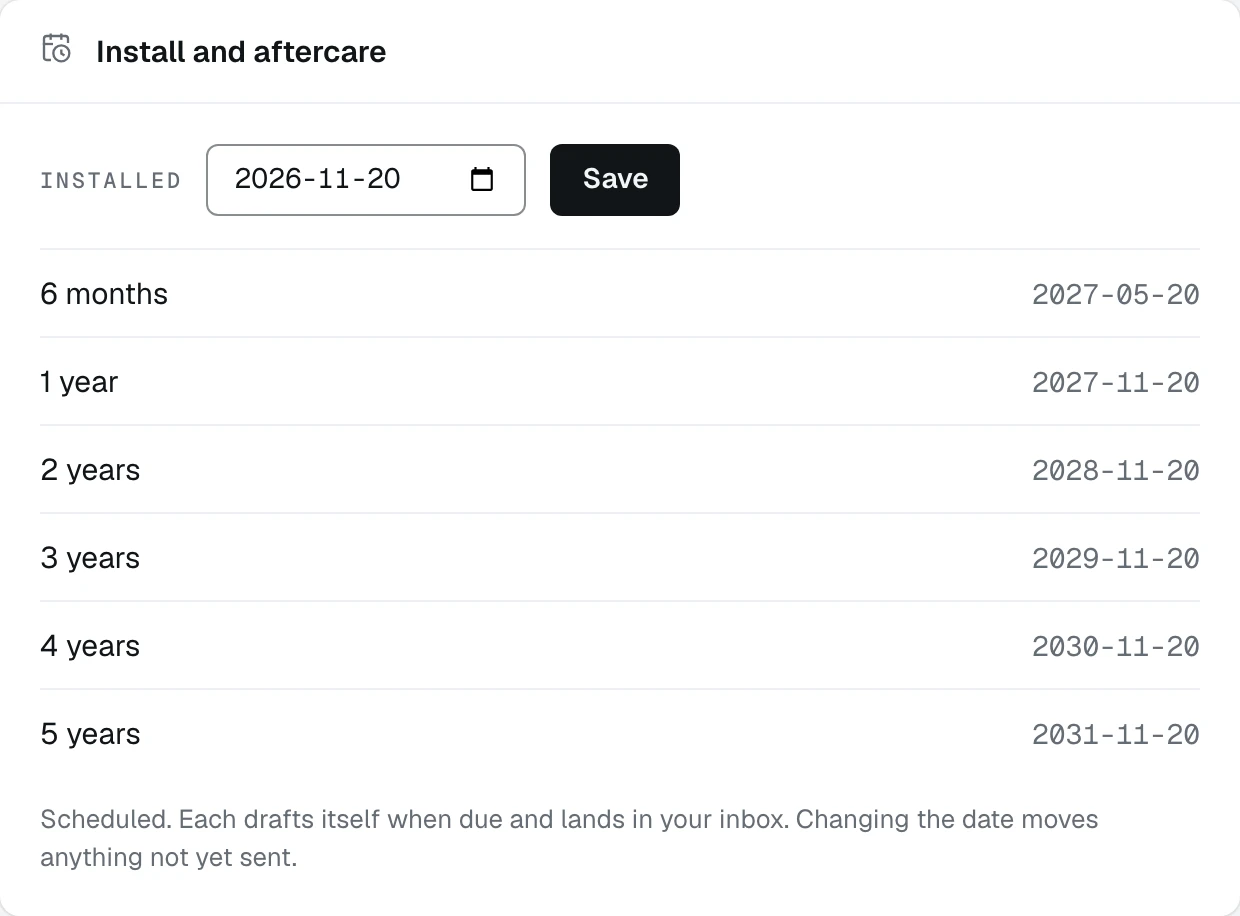
- 1The install date every row is counted from
- 2Six months, then each year to five
- 3Each drafts itself when due and lands in your inbox
Let the night before do the drafting
A sweep runs once a day and drafts whatever is due, in your words, naming the actual room off the job. Until then a row reads To do and there is nothing to read, because nothing has been written yet.
Open Follow-ups in the sidebar
The page is two lists and two tools: Due now, Coming up for the next 120 days, the Warranty roster of every installed job with how long each has left, and the Reactivation list builder.
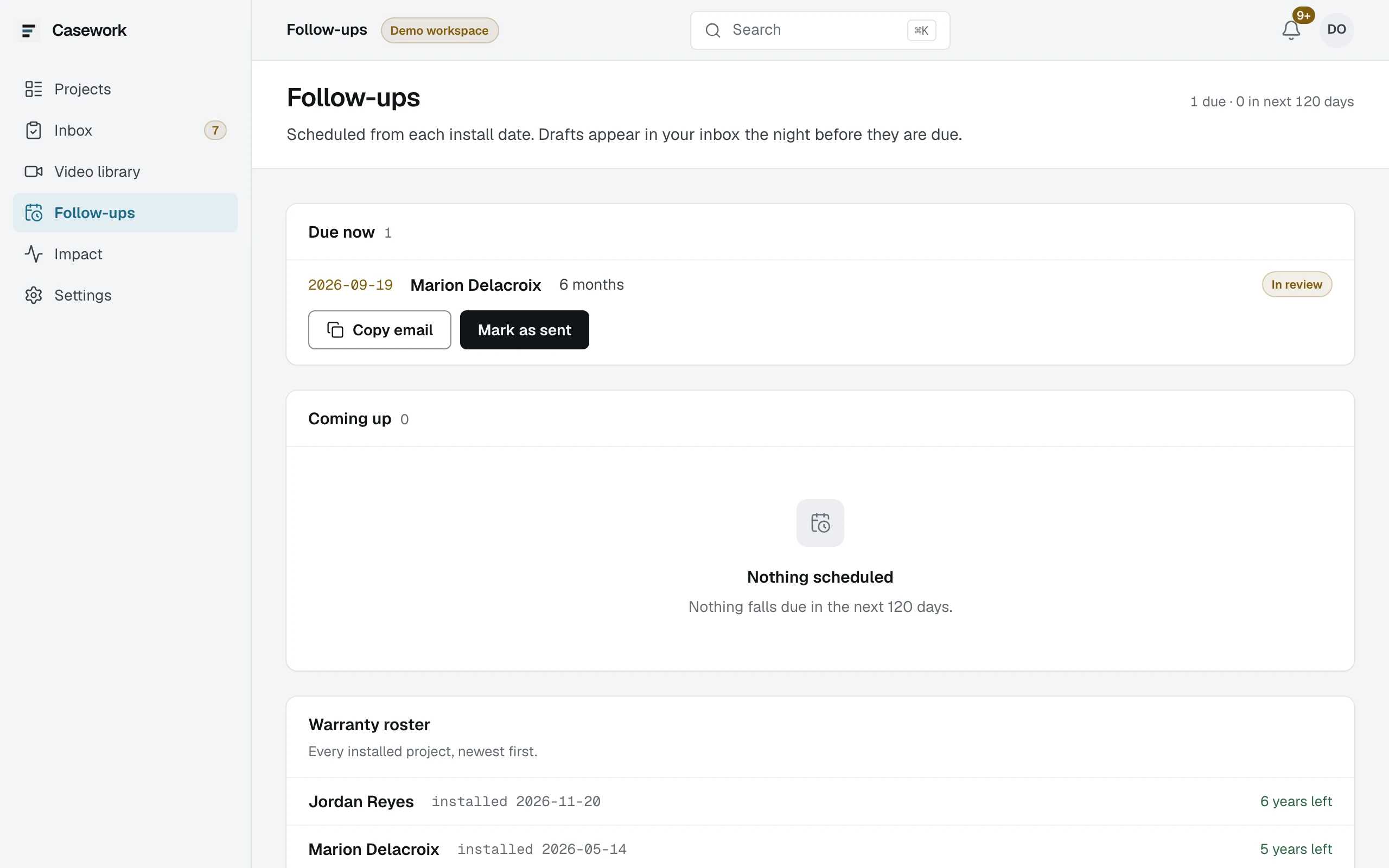
- 1How many are due, and how many in the next 120 days
- 2A due note, on the job it belongs to
- 3Copy email and Mark as sent, on the row
Know that nothing sends itself
Casework drafts and waits. Every note is copied into your own inbox and sent by you, because a five-year relationship is not something to hand to an automated mailer, and because a client should be replying to you rather than to a robot.
Change the wording once, not per client
If a note reads wrong for every client rather than this one, that is a template on the Emails tab in Settings. Each of the six has its own, and a follow-up with no template does not draft until you write one.
Use the roster and the reactivation list separately
The warranty roster tells you who is still covered. The reactivation list builder filters past clients and lost leads by how long ago, by zone and by source, and hands you a CSV. It is deliberately not a campaign tool: you send that from whatever you already use.
What happens next
A note came due this morning. The last guide in this section is the two presses that finish it.