Guides / Clients and intake
Read a returned intake
What the client wrote sits on the Specs tab above the figures the estimate prices from, so you check their answer rather than trust a number.
What you need first
- A client who has submitted the intake form
By the end of this guide you have confirmed the specification and the job is ready to quote. The screen is built so their words and your figures are on it at the same time.
Open the row that says Quote this job
It is in Needs you on the dashboard, and in the Inbox under Ready to quote. Both are the same row and both land on the job.
Read What they described
The Specs tab opens with a card headed What they described and the number of rooms. One block per room: the room as the client named it, its type on the right, and their own figures under Lower cabinets, Upper cabinets, Full height and Ceiling.
Where they asked for it, a line reads Wants lighting in this room. Only where they answered. A blank lighting question is not a no, and Casework does not print one.
Underneath sits whatever they typed in the free-text box, quoted rather than summarised.
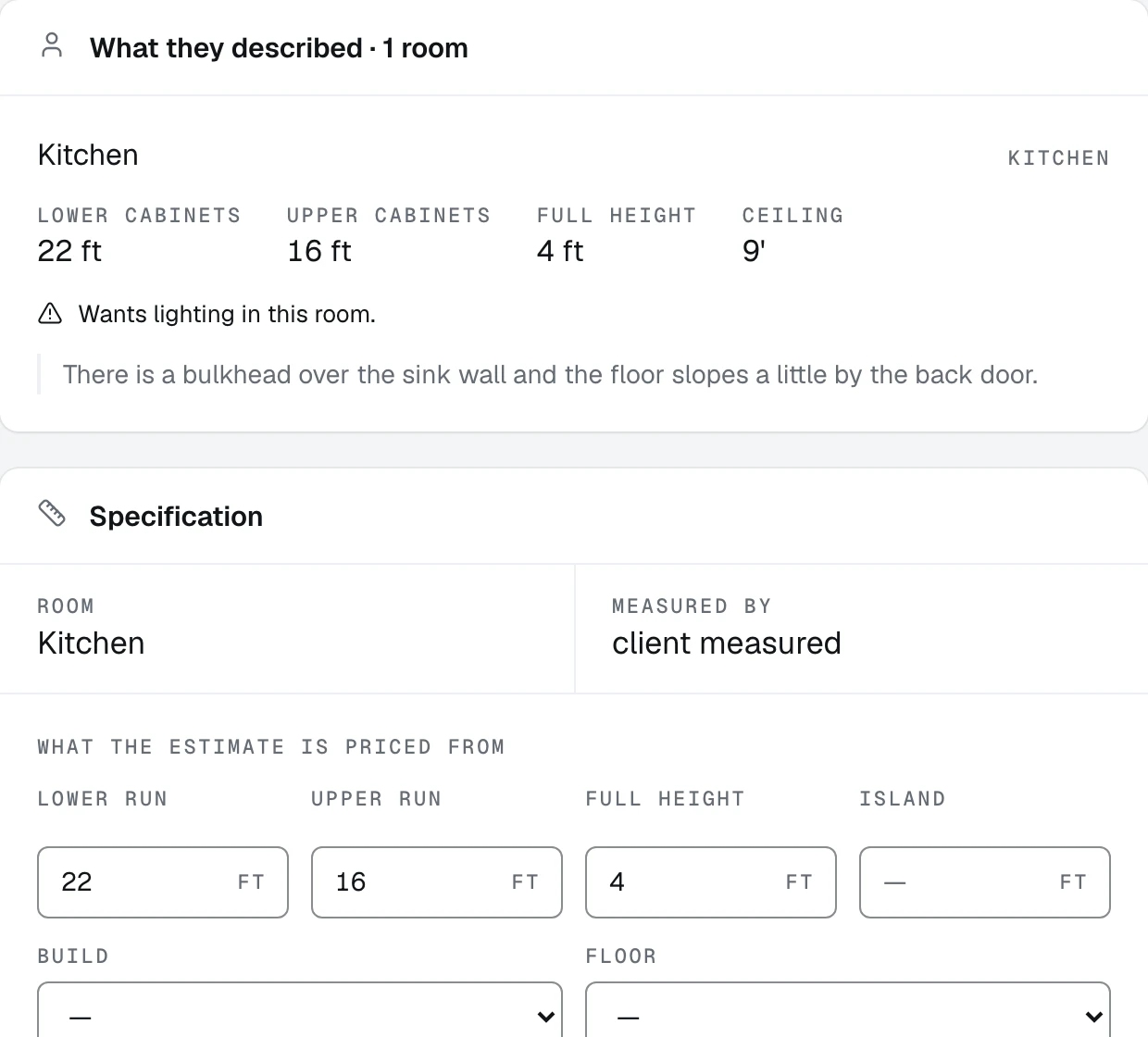
- 1What they described. It only draws when a client actually answered
- 2Their figures, room by room, as they typed them
- 3The specification underneath, which is what the estimate prices from
Check it against the specification
Directly below is the Specification card, under the heading What the estimate is priced from. Four figures in feet, Lower run, Upper run, Full height and Island, plus Build, Floor, Interior and Species.
Those four are the sum of the rooms above. The card above is the only place you can see that forty-six feet is a kitchen plus a pantry plus a laundry, and read the note the client left on each one.
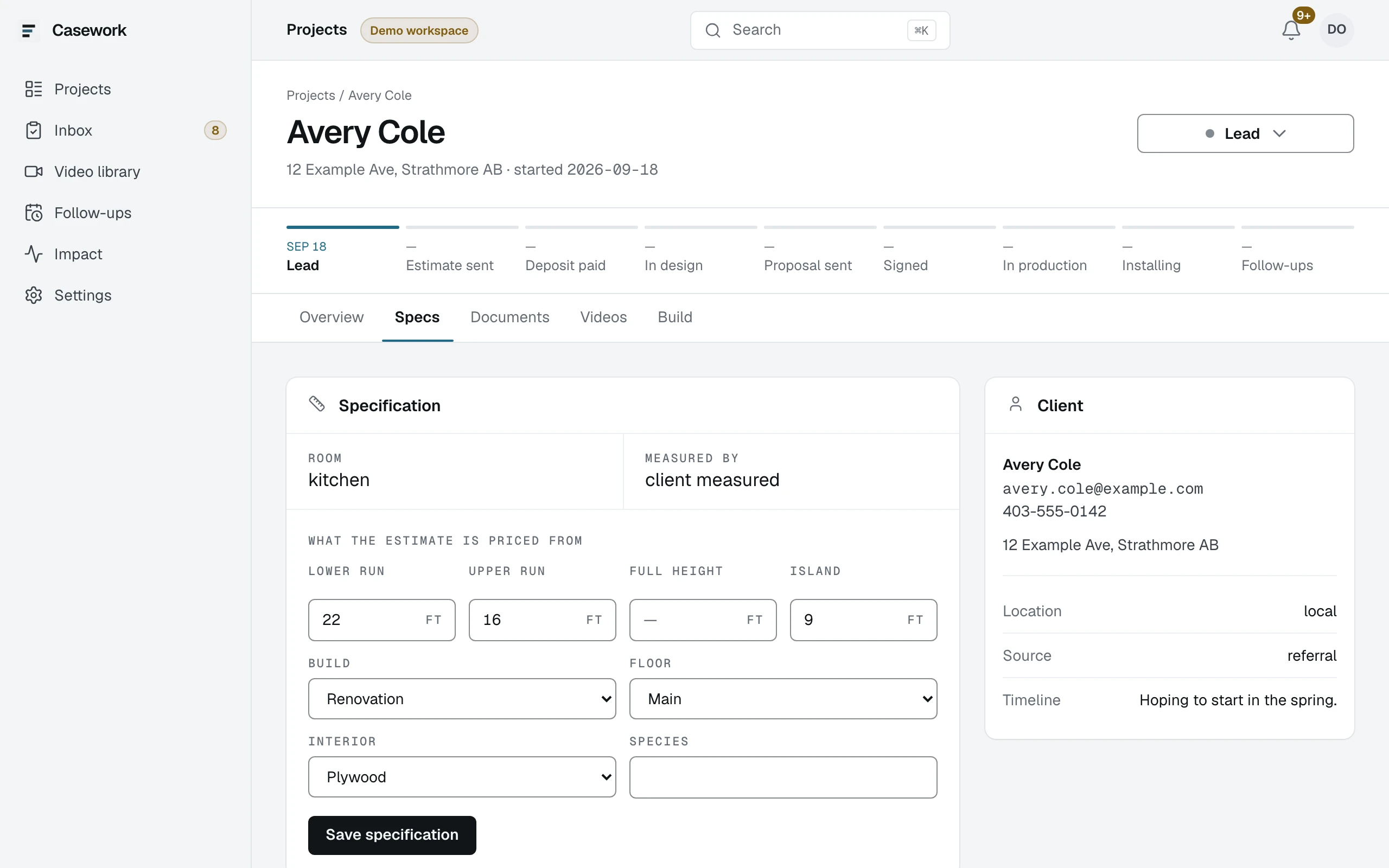
- 1The Specs tab
- 2The four figures the engine prices, in feet
- 3Save specification writes them
The card above the specification is hidden in this frame. It prints a live intake link in full.
Read how the measurements arrived
Measured by reads client measured, from photos or site visit.
On a photo job, the photos they sent are shown beside the specification, so you are reading their room rather than trusting a figure. Correct the numbers yourself: you are the one who knows what a bulkhead does to an upper run.
Press Save specification
The four figures are what the engine prices, however they got there. Save, and the job is ready to quote.
A job signed off locks its spec, and the tab says so. Before that, it is yours to correct as often as the client changes their mind.
What happens next
Price it: Draft the estimate.