Guides / Getting started
Set your brand
Put your logo, your colour and your name on every estimate, agreement and care manual a client opens. Casework's name appears on none of them.
What you need first
- Your logo as an SVG, or a PNG at twice the size it prints
- Your accent colour as a six-character hex code, if you have one
- The name and address a client should see an email come from
By the end of this guide your mark, your colour and your name are on every client document. All of it is optional: a shop with none of it still sends complete documents, set in the default face with its name in type.
Open Settings, then Shop
Settings is the last item in the sidebar. It opens on seven sections down the left: Shop, Terms, Pricing, Jobs, Emails, People, Account. Stay on Shop.
The first card is Shop details, holding your Name, Timezone, Sender name and Sender address. Press Edit and fill them in. Sender name is who a client sees an email from; sender address is the address a reply should reach.
Upload your logo
Scroll to Branding and press Edit.
Shop logo takes an SVG, or a PNG at 2× min. Logo for dark panels is the light-ink version, and the card says why: client documents include a dark cover panel, so without it your name is set in type there instead.
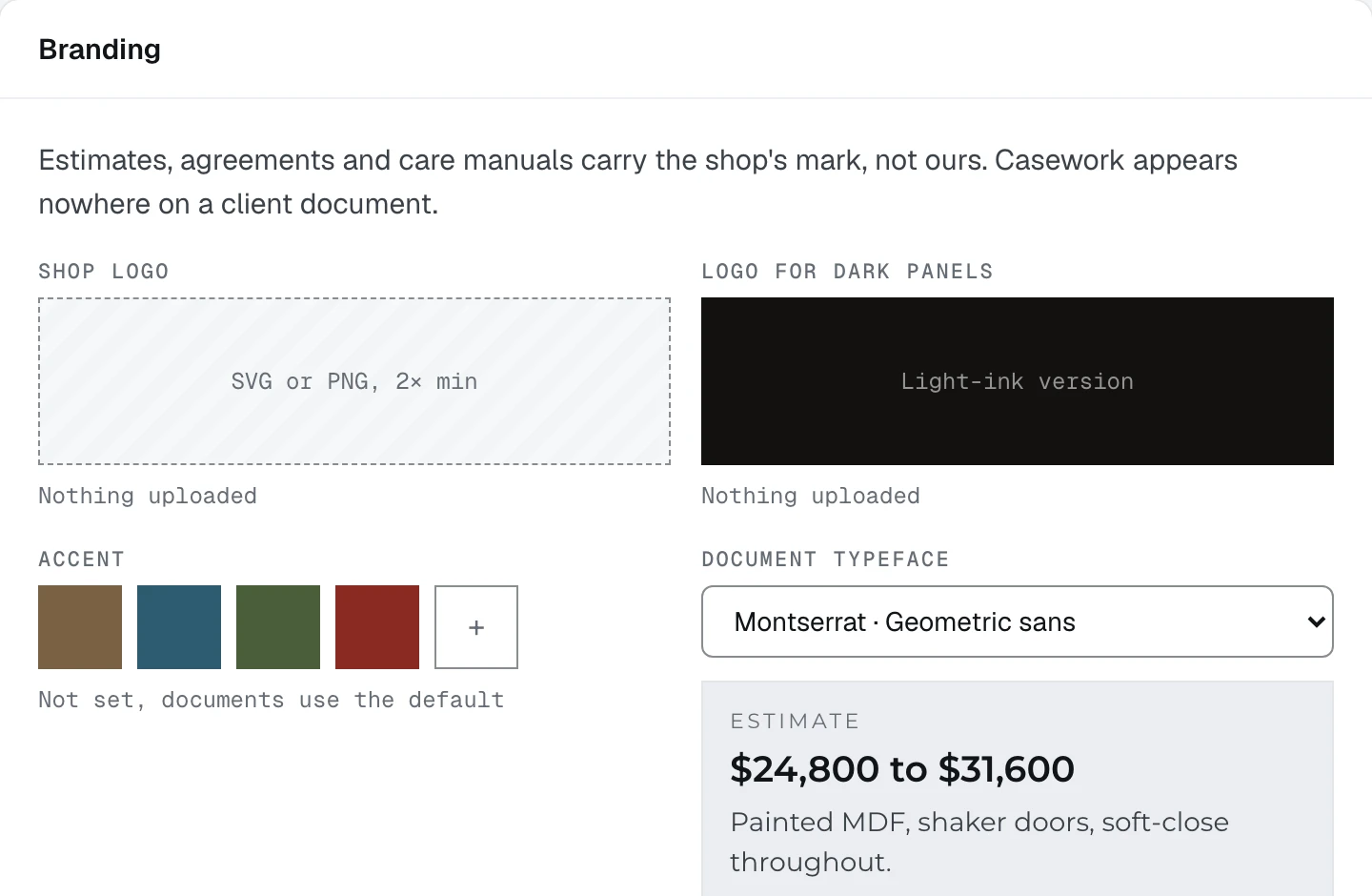
- 1Shop logo, and beside it the light-ink version for dark panels
- 2Accent. Four presets, and the plus takes your own hex code
Choose your accent
Accent offers four swatches and a + that takes your own hex code. It becomes the colour of every rule, heading and figure on a client document, and the colour you see at the top of your own app.
Leave it and documents use Casework's neutral ink. They are complete documents. They are not yours.
Pick the face your documents are set in
Document typeface offers four. The card prints a live estimate figure in the face you pick, so you can read it before you commit. The app itself stays in its own typeface; this is the documents only.
Save
Press Save. The card closes back to its summary and the Brand row on the setup card closes once there is a mark or a colour and a sender name.
What happens next
Your documents now carry your name. Next is the part they carry figures from: Enter your rates.