Guides / Getting started
Write your terms
What every job includes, how the payments split and how long a price holds. Two of these fields close the Terms step on the setup card.
What you need first
- Your deposit and progress payment, as percentages
- Your lead time in weeks, and how many days a price holds
- A sentence saying what every job of yours includes
By the end of this guide your estimates and proposals print your own payment split, your own lead time and your own inclusions. Nothing here is written for you and nothing is filled in on your behalf.
Open Settings, then Terms
Five cards: Design agreement, Proposal terms, Care manual terms, Pre-install pack terms and Document text. The setup card's Terms step points at the second one.
Press Edit on Proposal terms. Its own line says what it reaches: Shared across proposals, estimates, and intake. Prices are set per project on the take-off.
Set the payment split
Paid on signing is the initial payment as a percentage. Paid at the start of the build is the middle one, and zero is a real answer: a fifty-fifty split is two payments with nothing in between.
Each field shows the sentence it prints on a client's paper underneath it, and the card works out the final payment for you rather than letting two figures add up to something that is not a contract.
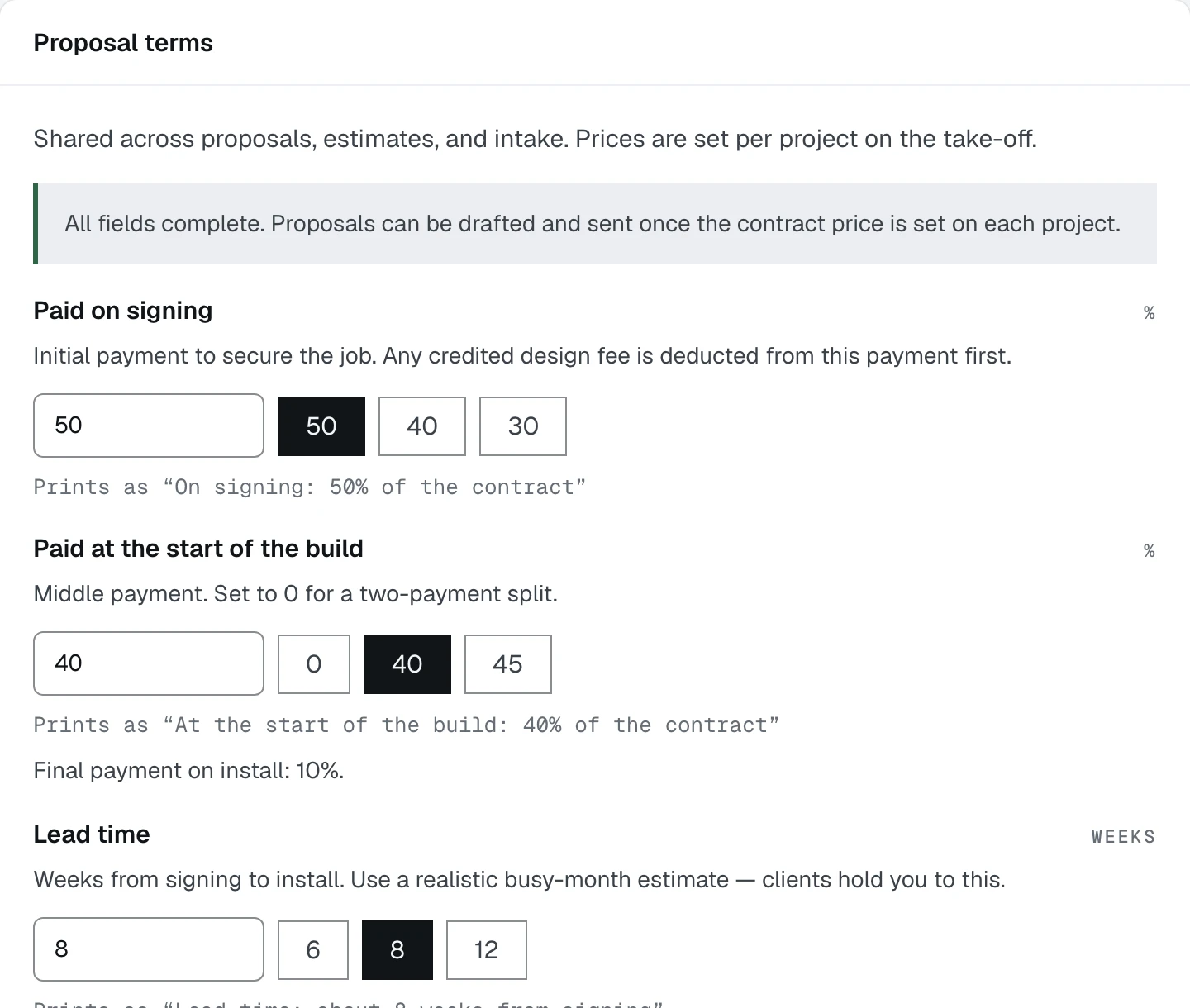
- 1Paid on signing. The box takes any figure; the three beside it are shortcuts
- 2Paid at the start of the build. Zero means a two-payment split
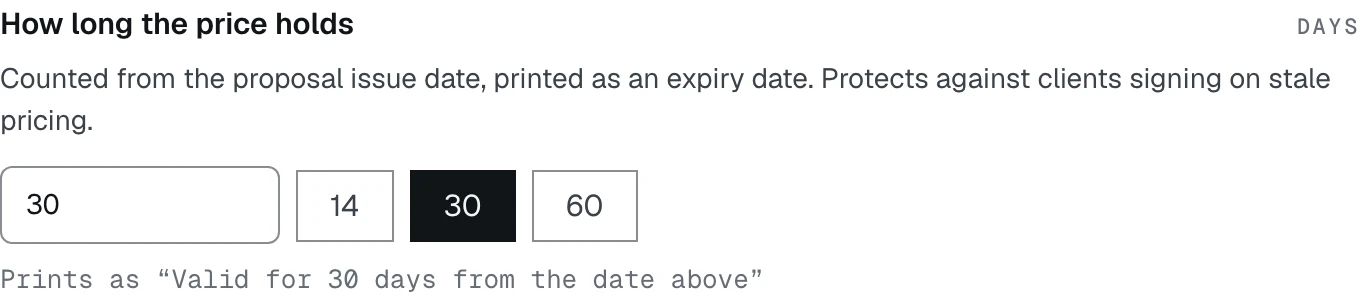
Say how long a price holds
Say what every job includes
Further down the same form, Included in every job is a paragraph printed on estimates and proposals above your exclusions.
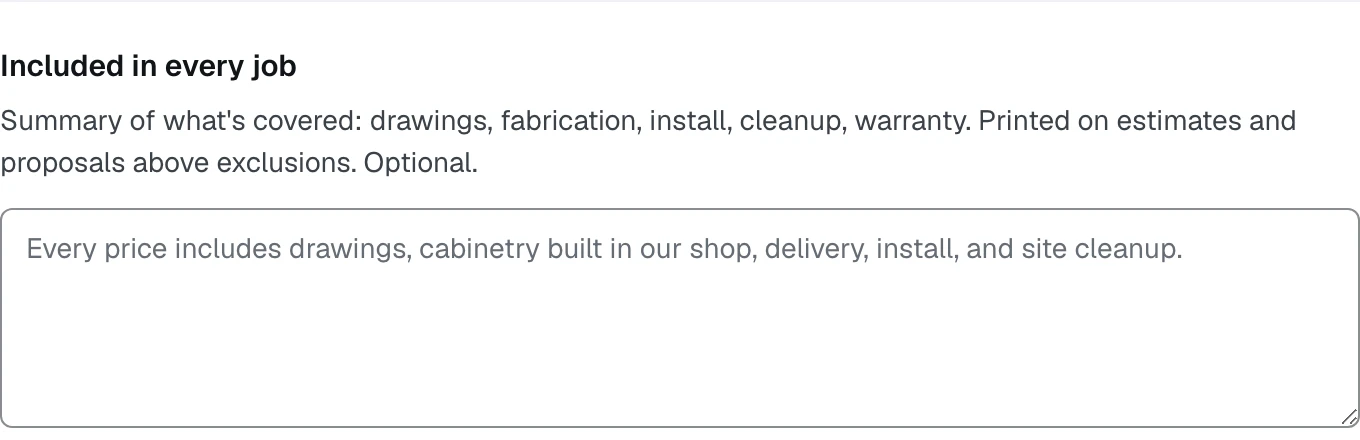
- 1The second field the Terms step waits on
- 2Grey text is a placeholder, not a saved value
The grey sentence in the box is an example, not something Casework saved for you. Until you type your own, the field is blank and the document prints shorter.
Save, and fill the rest when you have it
Press Save. Included in every job and How long the price holds together close the Terms row on the setup card.
The exclusions list, the proposal clauses and the contact block on the same form are optional. So are the other four cards on this tab. Each one that stays blank makes one document print shorter, and the review queue names which.
What happens next
Your documents have their words. Next is the note that carries one to a client: Write the covering note.