Guides / Inbox and phone
Approve from a row
Photo captions and follow-ups open where they stand and finish there. One press, and you land back on the page you pressed it from.
What you need first
- A drafted caption or a due follow-up on the list
Two of the seven kinds of row do not send you anywhere. By the end of this page you will have read a drafted caption against its photo and approved it without leaving the list you were working through.
Find a row with a button on it
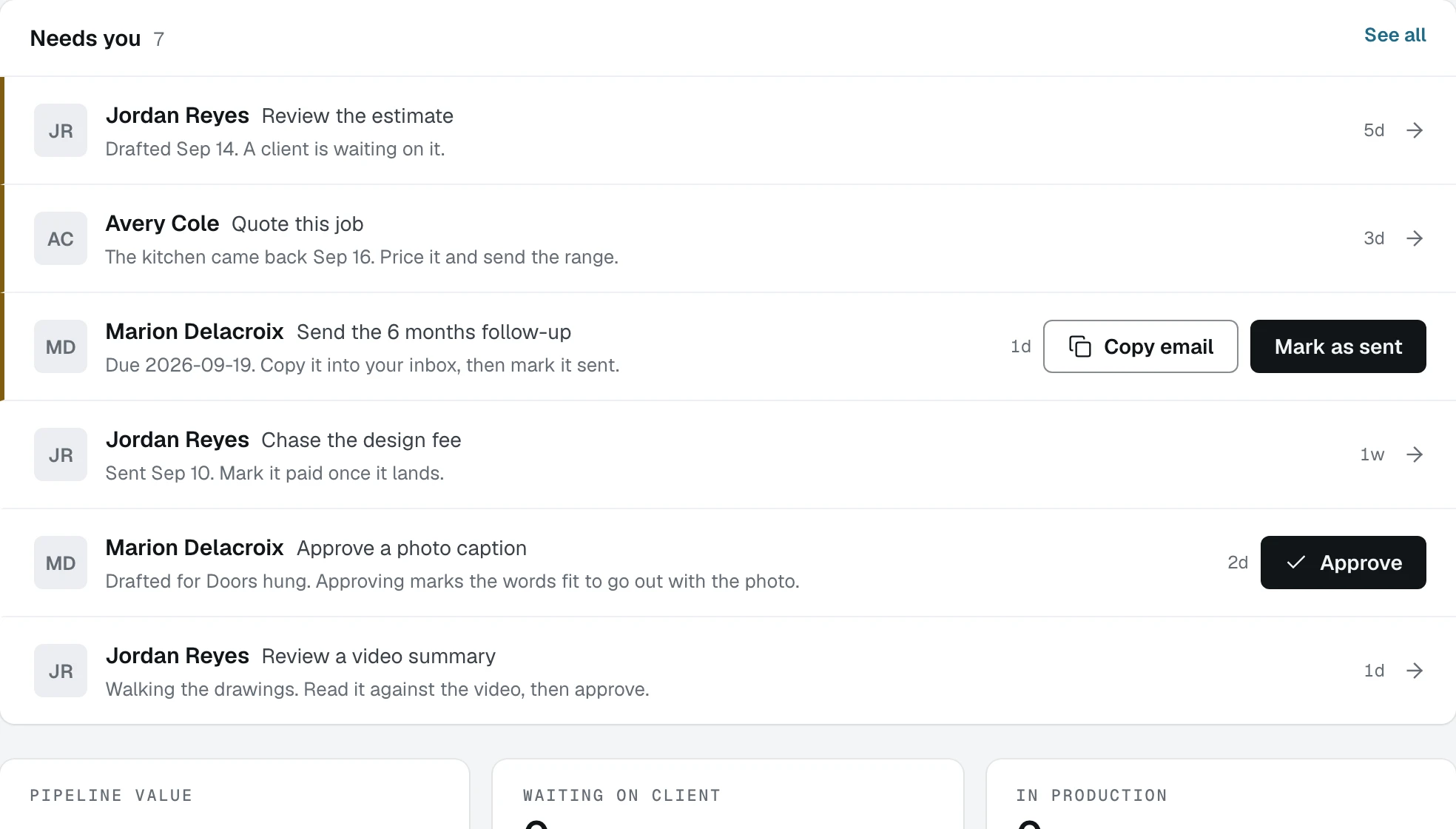
Open the caption row to read it
Click the row and it expands in place. The drafted words appear with the photo they were written for, because a caption is read against its picture or it is not being reviewed at all.
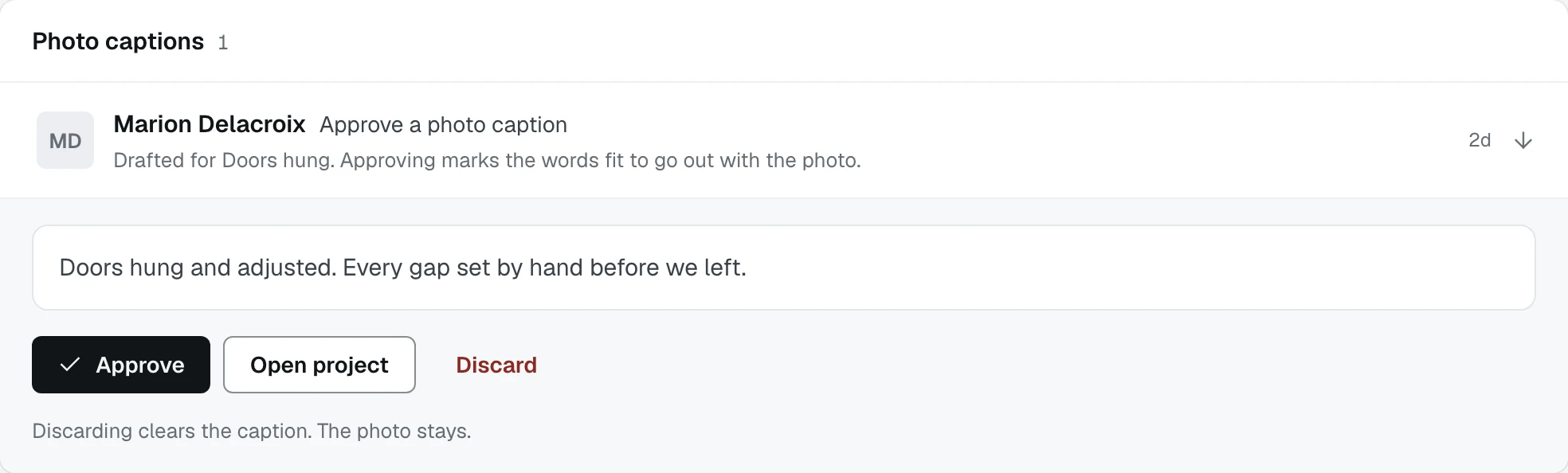
- 1The drafted words, editable before you approve
- 2Approve, which marks them fit to go out
- 3Discarding clears the caption and keeps the photo
Click Approve
Approving marks the words fit to go out with the photo. The row leaves the list and you stay exactly where you were, on the page you pressed it from, with the rest of the list still in front of you.
Click Discard if the words are wrong
Discarding clears the caption and keeps the photo, which the line under the buttons says. Nothing about the build step changes.
Use Open project when you want the whole job
Beside the two actions is Open project, for the times when the row is not the whole question and you want the record behind it.
Expect the same rows in three places
The dashboard, the Inbox and, for follow-ups, the Follow-ups page all draw the same row. Finishing it anywhere finishes it everywhere, because there is one list underneath and three windows onto it.
What happens next
That is the desk. The rest of this section is the phone, starting with logging a lead from a driveway.